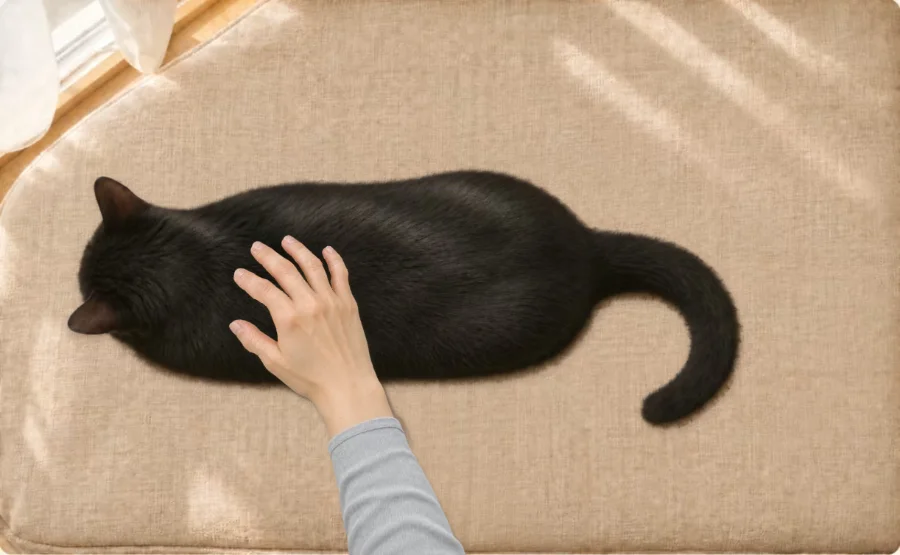
Pet the Cat, one quiet browser break
Pet the Cat is a browser game about spending time with a virtual cat. Open the player, choose a companion, and move your pointer across its head or back. The original game is a Japanese-language cat-petting simulator by zubu. This independent English website places that game beside a practical controls guide and a place to exchange player notes. You do not need to download an installer or create an account on this website to reach the player.
There is no sequence of combat stages to finish here. Pet the Cat is something to explore at your own pace: change the selected cat, compare the available controls, and decide whether you prefer the daylight setting or moonlight. A short visit is enough to try it. Staying longer is a choice, not a requirement to unlock this website's instructions.
Pet the Cat at a glance
A short reference for the browser version on this page, using the same checks recorded in the controls guide on 24 November 2026:
- What it is: a cat-petting simulator played inside the browser, not a shooter and not a story game.
- Original author: zubu; the player itself is published at pet-the-cat.pages.dev and its interface labels are Japanese.
- Cost: free to open on this page. No account, no installer and no payment step on this website.
- Choices: thirteen cat selections. Some are coat colours or patterns, others use breed names.
- Keyboard: Space pets the back and T interacts with the tail, after a click inside the scene.
- Pointer and touch: pointer strokes work over the head or back; on a touchscreen a short movement inside the scene registers, while a longer gesture can scroll the page instead.
- Lighting: the moon icon inside the game switches the scene between daylight and moonlight.
- Browser: JavaScript has to be allowed for this page, because the launcher and the external player both need it.
Start the Pet the Cat game
Press Play above to load the game in the same space as its cover, then focus the scene before using Space for the back or T for the tail. Pet the Cat controls for pointer strokes, touch gestures and scene settings.
Choose your cat
The original menu offers thirteen coat and breed choices, including black, orange tabby, calico, Siamese and Ragdoll. All 13 cats in Pet the Cat and learn how to change the selection inside the player.
If the game does not start
A blank frame, silent purring and an unfocused keyboard require different checks. Pet the Cat not loading fixes, or read about Pet the Cat unblocked access if you are looking for an unblocked version.
On a phone or tablet
The player loads in a mobile browser and accepts a touch stroke inside the scene, so no app store download is involved. Two limits are worth knowing before you try: a longer swipe can scroll the page instead of petting, and a narrow window leaves less room for the scene. Our checks covered desktop Chrome and a narrow browser layout rather than a physical phone, so treat the exact gesture behaviour as unverified on your own device. Pet the Cat controls lists the touch and keyboard steps side by side.
Which Pet the Cat is this?
This website embeds zubu's browser cat-petting simulator. Read about the website and game version for the operator's role and distinctions from similarly named products.
Three products share the name. This page is the free browser cat-petting simulator. The Steam title Pet the Cat (app 4605210) is a paid bullet-hell shooter by MEWSTURBO, published by TurboCat Software and released on 17 July 2026 for Windows at about EUR 5.19, in which petting the cat fires attacks at waves of enemies. The Pete the Cat children's books are a third, unrelated series. None of them describes the player embedded above.
We do not claim to have created the embedded game. The about page explains this website's role. Our privacy policy covers the separation between this page, public comments and the external player. For loading reports, corrections or copyright concerns, use contact and copyright. The terms explain the limits of this independent website.
Reviewed on 24 November 2026: original browser game loaded in desktop Chrome; the orange-tabby selection changed the scene. No physical mobile device was tested.